If you’ve ever wondered how to turn a worksheet into a game that captivates every student, this post is your inspiration guide.
Review sessions don’t have to mean sleepy students and bored sighs.
In fact, they should be the most engaging part of your lesson, a high-stakes finale where students prove what they know.
If you’re tired of the same old call-and-response routine, this post is for you.
I’ve collected three dynamic, zero-prep, and low-cost classroom games designed to transform your math worksheets from a passive exercise into a challenge.
Get ready to ditch the dull and make every student excited to show what they’ve learned!
Game 1: Trashketball
This classic method adds physical activity and immediate stakes to the review process.
Setup Essentials
- Equipment: Crumple up a piece of scratch paper and use any small trash can or recycling bin at the front of the room.
- Shooting Lines: Designate three clear lines using tape or natural floor lines to define the risk/reward for the shot:
- 1-Point Line (closest)
- 2-Point Line (mid-range)
- 3-Point Line (farthest)
- Teams: Divide the class into teams.
Gameplay: Two Modes
You can switch between these two modes based on your students’ needs for support versus independent practice:
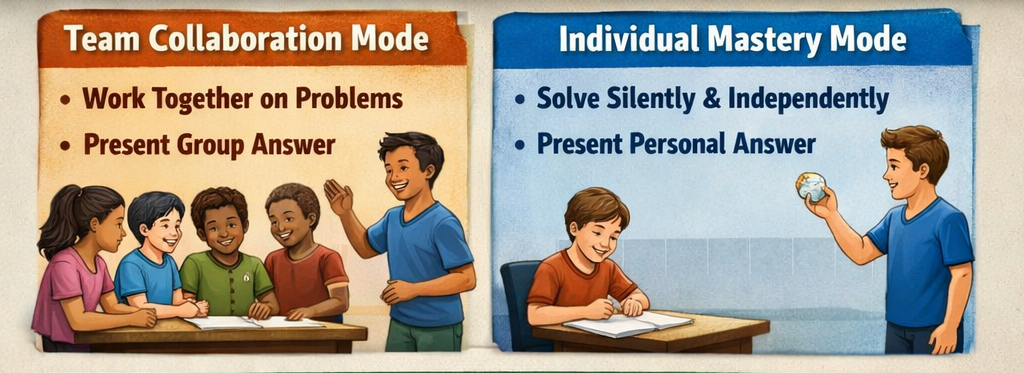
1. Team Collaboration Mode (High Support):
- Work Phase: All team members work on the assigned problem together for a set time (e.g., 2 minutes). All members must agree on the final answer and show the work.
- Answer Phase: The teacher randomly selects one student from the team to stand and present the group’s agreed-upon answer and work.
2. Individual Mastery Mode (High Accountability):
- Work Phase: Students work on the problem silently and individually.
- Answer Phase: The teacher randomly selects one student from the team to stand and present their personal answer and work.
Goal and Scoring
- Verification: If the answer and work are correct, the team proceeds to the scoring phase. If incorrect, the opposing team gets a chance to “steal” the question.
- Answer Points: The correct team earns a base amount of Answer Points (e.g., 5 points).
- Basket Points: The presenting student chooses their line (1, 2, or 3 points) and takes the shot.
- If the shot is made, those points are added to the team’s total.
- If the shot is missed, the team keeps the Answer Points but misses the bonus.
- Goal: The team with the most total points (Answer Points + Basket Points) wins.
Benefit: Works best for final review. It maintains high focus because every correct answer is immediately rewarded with a physical activity.
Game 2: The Silent Showdown (Focus: Accuracy and Trust)
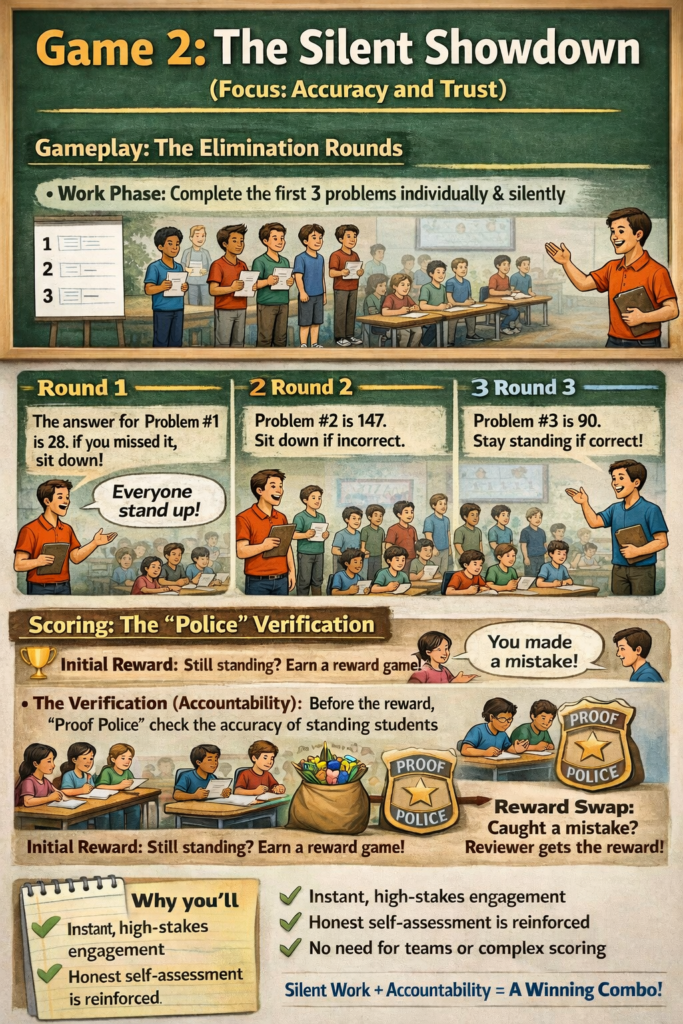
This game introduces immediate stakes and transparency into individual work.
Gameplay: The Elimination Rounds
- Work Phase: Have students complete the first three designated problems on the worksheet individually and silently.
- The Stand: Ask everyone to stand up once they are ready or when the teacher calls time.
- Round 1: The teacher reads the correct answer for Problem #1. Students who got it wrong sit down immediately.
- Round 2: The teacher reads the correct answer for Problem #2. Students who got it wrong sit down immediately.
- Round 3: The teacher reads the correct answer for Problem #3. Students who got it wrong sit down immediately.
Scoring: The “Police” Verification
- Initial Reward: Any student who is still standing after three rounds earns the chance to play a preferred reward game (or similar small incentive).
- The Verification (Accountability): Before the reward is granted, students who sit down will now become the “Proof Police” and check the work of the students still standing.
- Reward Swap: If a sitting student successfully catches a peer who was still standing despite having an error on their paper, the reviewer gets the reward instead. This reinforces honest self-assessment.
Why you’ll love it: It creates instant, high-stakes engagement without needing teams or complex scoring. The “Proof Police” mechanism ensures that standing requires actual accuracy and prevents students from cheating the system.
Game 3: Lucky Points Challenge
Gameplay
Worksheet Review: Conduct your review session as usual, going through the questions on your worksheet one by one.
The Bet: For any question you review, only the teams that achieved the correct answer are eligible to place a bet on that turn.
Claiming a Square: An eligible team announces which of the nine shapes they want to bet on (e.g., “Team 2 chooses the Star!”).
Mark the Grid: The team writes their team number (T2) into the chosen square on the grid. A single square can be chosen more than once throughout the game, and it can be claimed by different teams on different turns.
Teacher Focus: Continue this process through all the selected questions on the worksheet. The teacher’s role is simply verifying the correct answers and monitoring the betting—no point recording is needed yet.
The Grand Finale: Public Reveal and Collaborative Tally
This final phase provides immediate clarity, public recording, and a shared calculation effort between the teacher and students.
- Teacher Reveals the Values: Once the betting is complete, the teacher refers to their secret scorecard and begins revealing the points. The teacher writes the point value inside each of the nine shapes on the grid (e.g., writing “+25” inside the Star).
- Public Tally Creation: The teacher creates a simple, public scoring area to the side with columns for each team (T1, T2, T3, etc.).
- Teacher Records the Points: Systematically go through all nine shapes.
- For each shape, the teacher looks at the team numbers written inside it (e.g., T1, T3).
- The teacher writes the revealed point value (+25) under the column for every team that claimed that shape. This creates a clear, public list of every point earned by every team.
- Joint Calculation and Audit:
- Student Calculation: Teams add up the numbers in their column on the board to calculate their final score.
- Teacher Audit: The teacher confirms the totals using the public tally.
- The Penalty: If a team’s calculated score is incorrect (miscalculating the column total), the teacher announces the correct score and applies a penalty (e.g., deducting 5-10 points) for the lack of calculation accuracy.
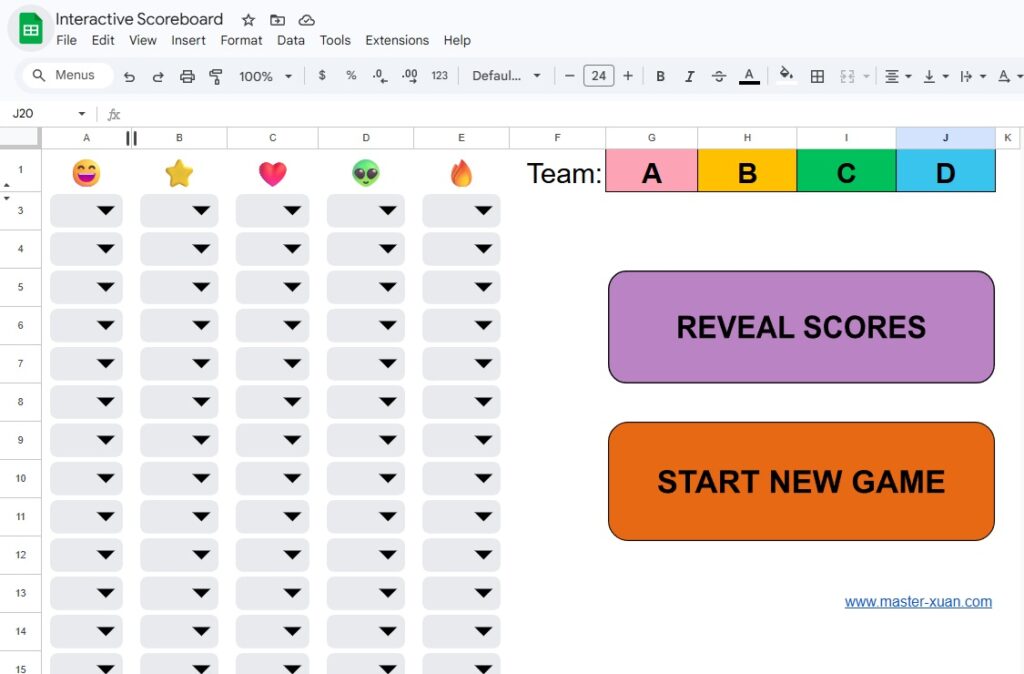
I created this Google Sheet scoreboard to handle all the game calculations automatically within the sheet. You have two easy options for using it: Automatic Mode (Recommended) or Manual Mode.
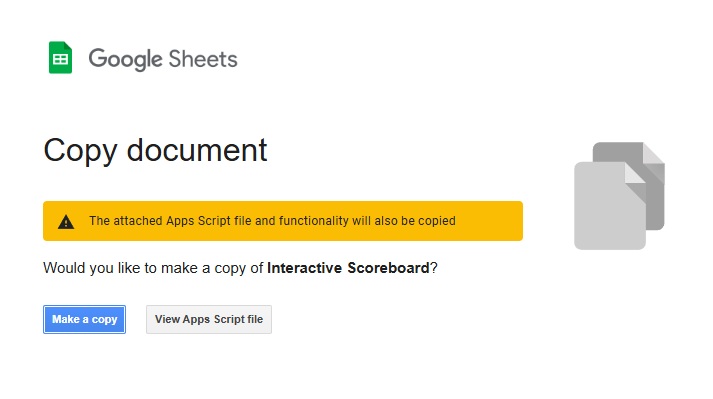
First, make a copy.
Option 1: Automatic Mode (Recommended)
To use the automated features (the buttons), you must give the script one-time permission to run in your account. This is completely safe, as the script was copied from a trusted source (me!).
1. Authorize and Run the Scoreboard Scripts
- Open the Script Editor: In your copy of the sheet, go to Extensions -> Apps Script. (You can also click Reveal Scores for the notification to pop up.)
- Run a Function: In the script editor that opens, run any function (e.g., restartGame) by clicking the Run button (▶).
- Grant Permission (Follow these steps carefully!):
- On the security screen that appears, click the “Advanced” link (it may be small).
- Click the “Go to clearClaims (unsafe)” link that appears below.
- Click the Continue button on the final screen.
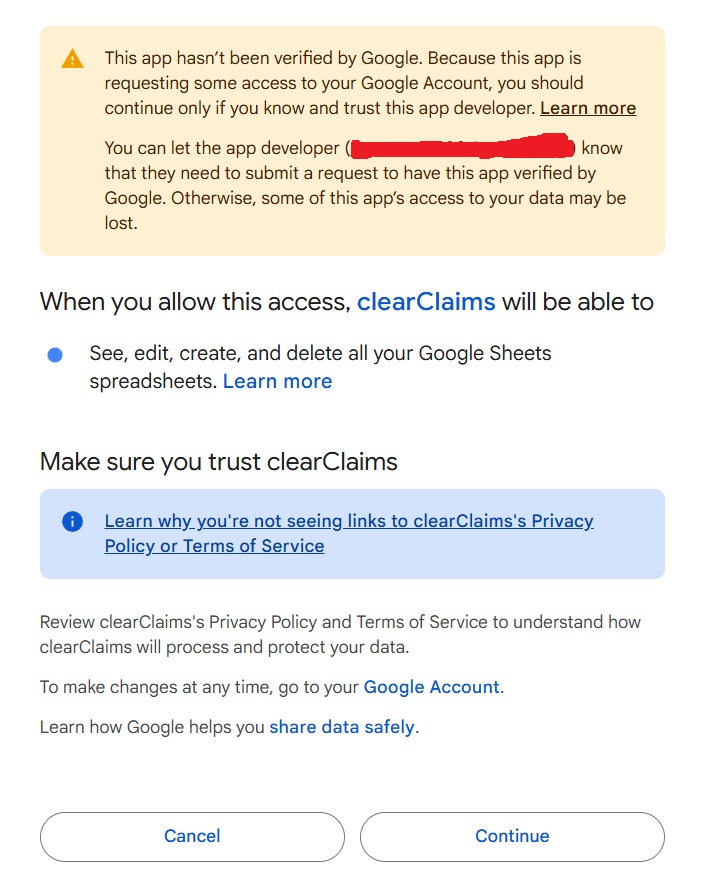
Once authorized, the START NEW GAME and REVEAL SCORES buttons will work permanently!
Option 2: Manual Mode
If you are not comfortable authorizing the script, you can still use the scoreboard manually by following these steps:
To Reveal Points and Sums: Simply click the small line between Row 1 and Row 2 to unhide the secret point values and calculation cells.
To Clear the Game Board: Select the cells on the board where claims/values were entered, and press the DELETE key to clear them.
- Important: Do not delete any of the formulas in the Leaderboard Total Sum area.
Customizing Your Scoreboard
Feel free to make this sheet entirely your own!
- You can change the hidden point values to suit your game’s scoring system.
- You can easily update the images and the team names in the leaderboard area.
Related Read: Free Printable Math Worksheets For 1st Graders Teacher Can Use In 3 Unique Ways
Here are some pins that you can save to bookmark this post. Save them to your Pinterest Board now! ↓